I needed a CRM to go Along with Badge Scanner, so I Made One
Dave Weiss · October 13, 2026 · 2 min read
I've just been busy, busy, busy here at SuiteResources.
Badge Scanner has pretty much been in the can for a few weeks now. I'm pretty happy with how that turned out. However, I was thinking about what to do with any contacts that might get scanned. Surely, if you're taking some good notes about your conversations after scanning a badge, you're going to want to have a plan of action regarding what you want to do next with your new contact.
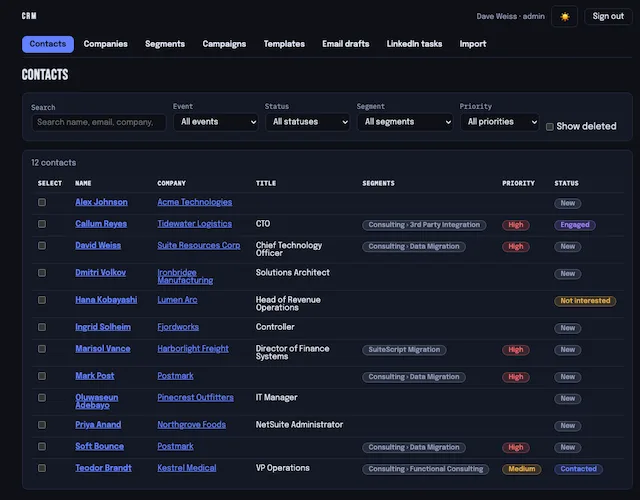
Over the weekend, I whipped up a small CRM app that works with Badge Scanner.
Once you're logged into CRM, it can find all your events from Badge Scanner and import the contacts from those events. You define Campaigns, which contain one or more Touches (campaign events). Touches can be templated emails that fire after a given number of days since contact creation, or reminders to send templated connection requests or messages to contacts via LinkedIn.
We'll add other Touch types as we go along, but this should suffice for the near term.
BTW, we also track all outbound email to contacts and process hard bounces as "do not send future emails" to this contact. They are also automatically opted out of any remaining Touches that send email messages.